
Sword of the Sea Discord: Community and Help Guide
Looking for Sword of the Sea Discord? Find official starting points, get help with collectibles, and explore the latest gameplay updates for PC and PS5.
Jump to
Where Should You Look for a Community Invite?
Searching for Sword of the Sea Discord discussions to find a missing shell or troubleshoot an achievement? Start your search at the Sword of the Sea official website and the Sword of the Sea Steam page. Use those starting points to look for developer-posted community links and announcements before following an invite shared elsewhere.
Keep the distinction between a fan community and Giant Squid’s own channels clear when choosing where to ask questions. For game updates, return to the developer’s announcements; for puzzle hints and trick ideas, ask other players for the specific help you need.
Sword of the Sea is a single-player adventure available on PS5 and Windows PC. Use community conversations to compare exploration routes, share photo mode shots, or discuss the Wraith’s journey through the Necropolis.
How to Ask for Help Without Spoiling the Adventure
Name your platform, chapter, and objective before describing what went wrong. “I’m missing a secret shell in Lost Grotto” gives someone a much clearer starting point than “Where’s the last collectible?”
For common questions, include these details:
- Missing collectibles: Check the chapter select collectible tracker, then name the chapter and collectible type. New Game Plus also has a collectible tracker on the pause screen.
- Trick challenges: Describe the challenge and which tricks you have unlocked. Tetra unlocks additional tricks, so advice should match your current moves.
- Achievements or trophies: Give the exact achievement name and explain what you completed. Mention whether you entered the final level through chapter select.
- PC performance: Include your processor, graphics card, resolution, graphics preset, and game version.
- Controller problems: Name your controller and describe the affected input or haptic behavior.
For score challenges, explain whether you are struggling to build a combo or land it. Chaining tricks raises your combo, landing successfully multiplies your score, and varying tricks earns more points. Build momentum before launching off a wave crest, then describe which flips, spins, or grabs you are trying to combine when asking for help.
For photo mode questions, distinguish its camera controls from the regular gameplay camera. The September 19, 2025 update added separate horizontal inversion, vertical inversion, and sensitivity options for photo mode. Adjust those controls separately if your preferred gameplay camera setup feels different while framing a screenshot.
Ask for a hint before requesting a full solution if you want to preserve the exploration. For story discussions, identify the chapter you have reached and request replies that stop there.
Updates That Matter When Comparing Answers
Older troubleshooting advice can refer to problems that later patches addressed. Include your installed version when discussing performance, collectibles, or achievement issues.
| Update | Relevant changes |
|---|---|
| September 19, 2025 | Added collectible tracking to chapter select and the New Game Plus pause screen; fixed incorrect collectible counts that could interfere with a trophy. |
| September 23, 2025 | Fixed a trophy/achievement issue when starting the final level through chapter select. |
| Patch 1.6 — October 29, 2026 | Added Steam Deck Verified status, DLSS support, graphics presets, performance improvements, and haptics improvements. |
For Steam Deck questions, mention Patch 1.6’s compatibility status when comparing older advice. For PC graphics questions, specify whether you are using DLSS and which preset you selected.
The August 29, 2025 update added a 120hz framerate option, expanded photo mode’s camera movement range, and made platforming to reach certain secrets less demanding. It also removed inaccessible underground chests and fixed several places where players could become stuck outside the intended play area. Describe the exact obstacle when discussing an older collectible route.
Patch 1.6 also improved photo mode autofocus and maximum focal distance, disabled photo mode during screen fades, and improved detail transitions for fish, kelp, and chains. Include whether the problem happens during a transition or while framing a distant subject when asking about those specific behaviors.
If you are troubleshooting DualSense features on PC, disable Steam Input for full DualSense controller support. Include that setting in your help request so the conversation starts with your actual configuration.
Continue with
 Sword of the Sea How Long to Beat: Story & 100% TimeSword of the Sea how long to beat guide: compare story and completion times, plan your New Game+ run, and cut down collectible and trophy cleanup time.
More in Guide

Sword of the Sea Beginner Guide: 9 Tips to Start Strong
Use this Sword of the Sea beginner guide to master Hoversword movement, earn Tetra, unlock tricks, find secret shells, and plan your adventure with ease.
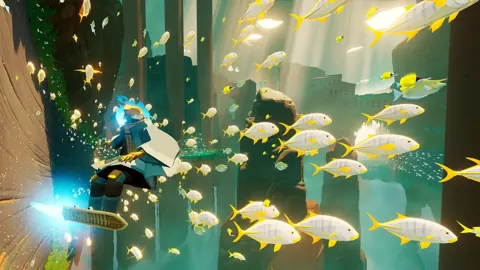
Sword of the Sea Chapter Select: Unlocks & Replay Guide
Unlock Sword of the Sea chapter select, revisit all eight chapters, track missing collectibles, and avoid replay mistakes during your New Game Plus run.
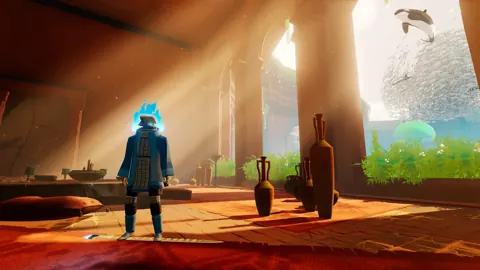
Sword of the Sea How to Save: Slots and PC Backups
Open the pause menu to access saved progress in Sword of the Sea. Resume your file, copy save slots, and back up Windows saves with Steam Cloud.
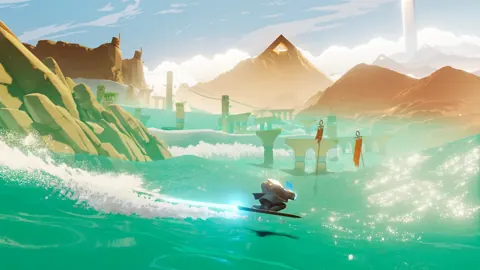
Sword of the Sea New Game Plus: Unlocks and Carryover
Sword of the Sea new game plus adds Wisp boosts and carries over your skills and Tetra. Learn how to unlock it, track shells, and earn replay trophies.
Continue exploring
Join the community
Official channels for news, updates and player help: